


Wireless Magnetic Phone Mount for Model 3/Y/S/X/Cybertruck
Secure payment options

Wireless Magnetic Phone Mount for Model 3/Y/S/X/Cybertruck
Wireless Magnetic Phone Mount for Tesla Model 3/Y/S/X/Cybertruck
A compact magnetic phone mount designed for Tesla center screens, helping keep your phone secure, visible, and easy to adjust while driving.
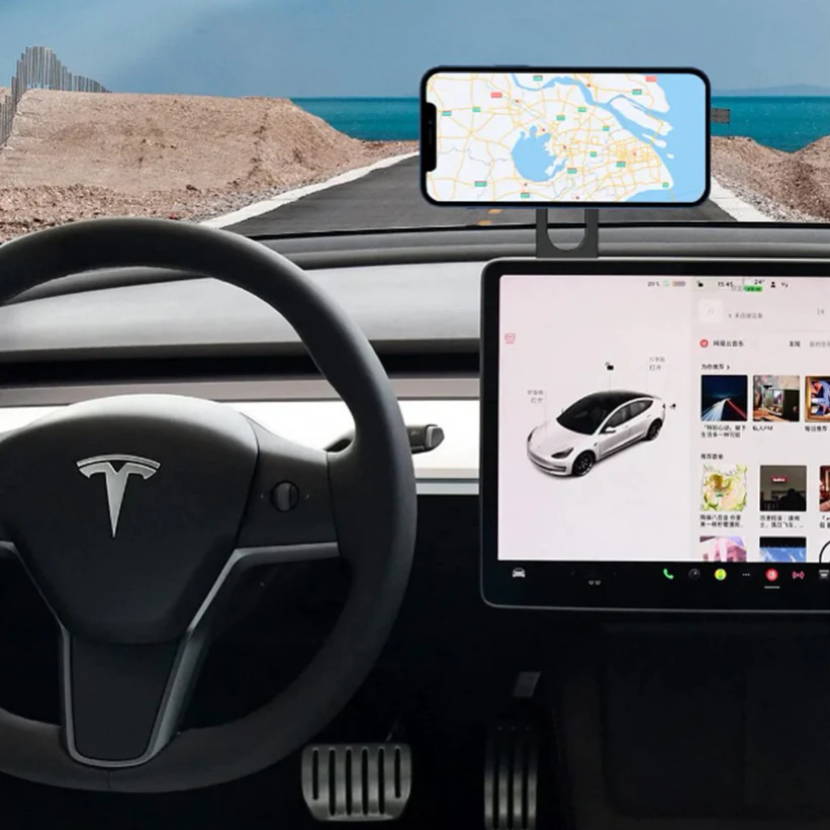
Key Features
Strong hold, clean fit, easy viewing
Behind-Screen Fit
Installs on the back of the Tesla touchscreen for a clean cabin look without blocking your view.
12 N52 Magnets
Built with stronger magnets to help keep your phone stable even on bumpy roads.
90-Degree Rotation
Adjust your phone horizontally or vertically for navigation, calls, music and daily driving.
Compact & Foldable
The slim design saves space and can be tucked away when the mount is not in use.
Wireless Charging Support
applies to Apple iPhone 12 to 17 series according to the product information.
Simple Adhesive Setup
Uses 3M adhesive mounting with no complicated tools or permanent modification required.
Product Details
Clear visuals for the main selling points
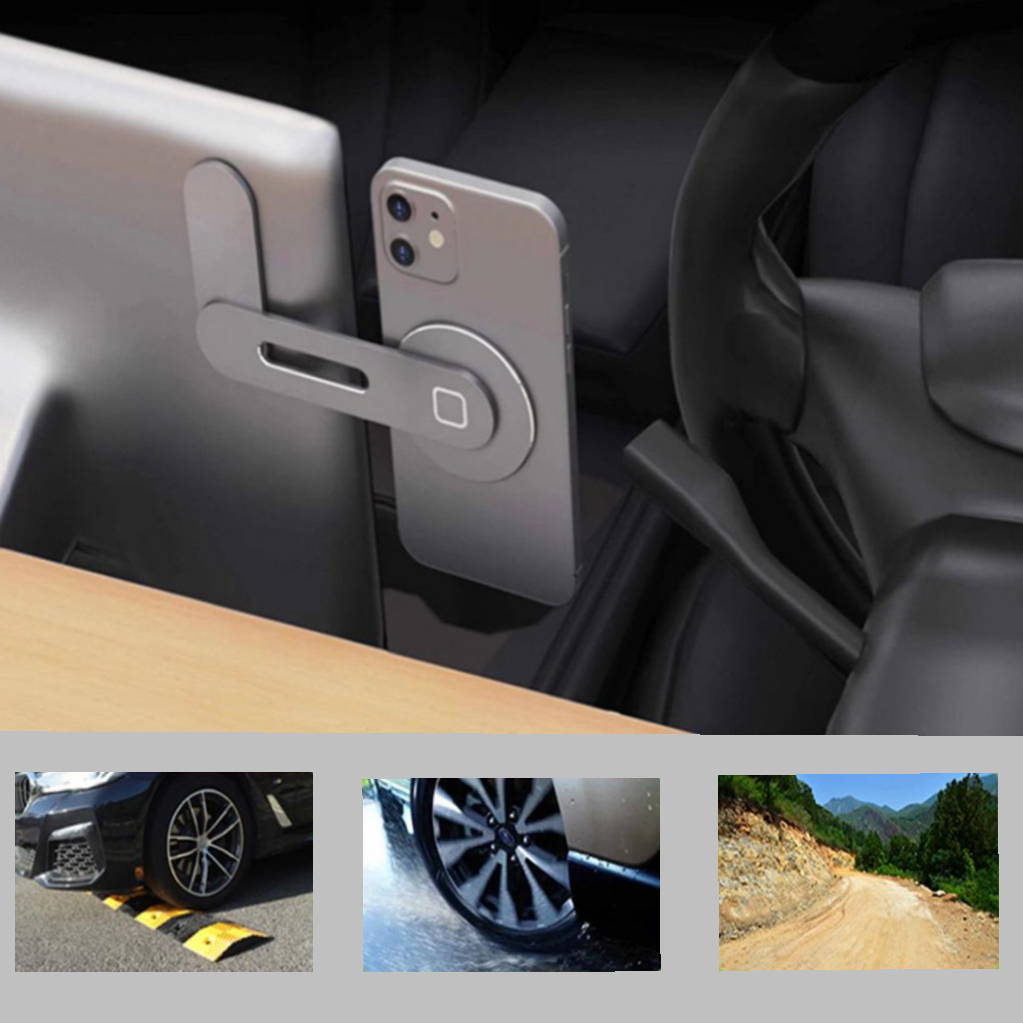
Powerful Magnetic Hold
Powerful N52 magnetic hold keeps your phone steady for daily driving and rougher roads.
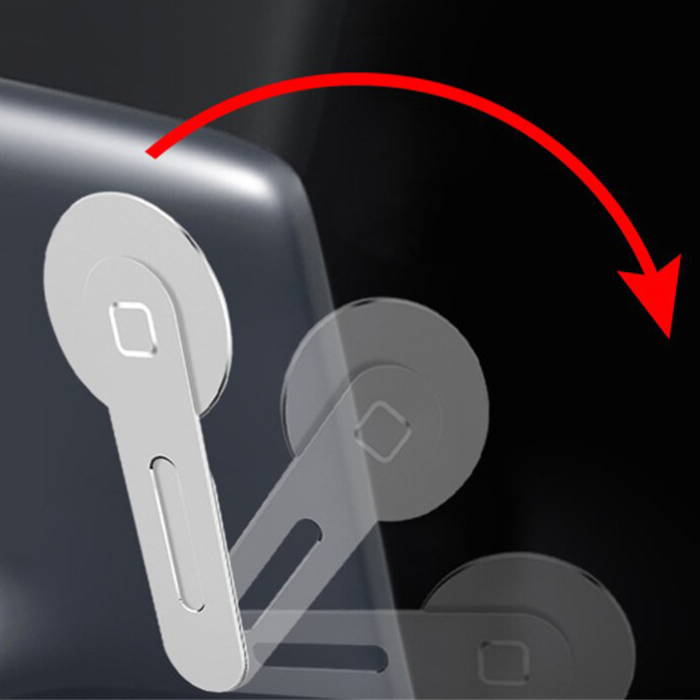
Compact 90° Adjustment
Compact body and flexible angle adjustment help avoid blocking the screen or driving view.

Wireless Charging Support
Supports wireless charging use for compatible iPhone 12/13/14/15/16/17 series devices.
The Tesevo Advantage
Compared with generic phone holders
| Feature | TESEVO | Generic Holder |
|---|---|---|
| Mounting Position | Behind Tesla Screen | Dash or Vent Mounted |
| Magnetic Strength | 12 N52 Magnets | Standard Magnets |
| Viewing Angle | 90-Degree Adjustable | Limited Adjustment |
| Cabin Look | Slim and Foldable | Often Bulky |
Specifications
Product and package details
Installation Steps
Quick setup in minutes
Clean the back shell of the Tesla screen before installation.
Remove the 3M tape cover and secure the mount to the back of the screen.
Put your phone on the magnetic holder and adjust the angle as needed.
Installation Video
See the magnetic mount in action
Frequently Asked Questions
Real feedback from the TESEVO community